
Disclosure: I pay for AutoShorts.ai and run it on a live channel. Some links in this post are affiliate links, so I earn a commission if you subscribe. It costs you nothing extra. Every screenshot here is from my own account, not a press kit.
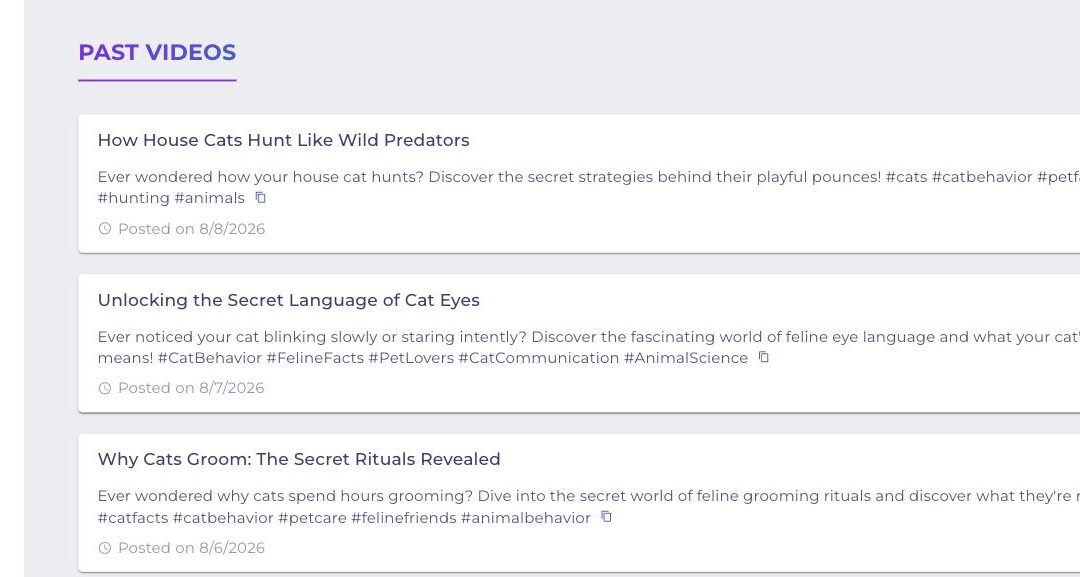
Nine videos in nine days without touching the channel
I set up one series in AutoShorts.ai, picked a topic, chose a narration voice and an art style, and then left it alone. Nine days later there were nine finished videos live on the channel. I did not write a script, record audio, source b-roll, edit a timeline, or press upload on any of them.
That is what faceless YouTube automation is supposed to look like. Most tools that promise it hand you a video generator and leave the hard part, actually publishing on a schedule, to you. AutoShorts is the first one I have run where the posting is part of the product.
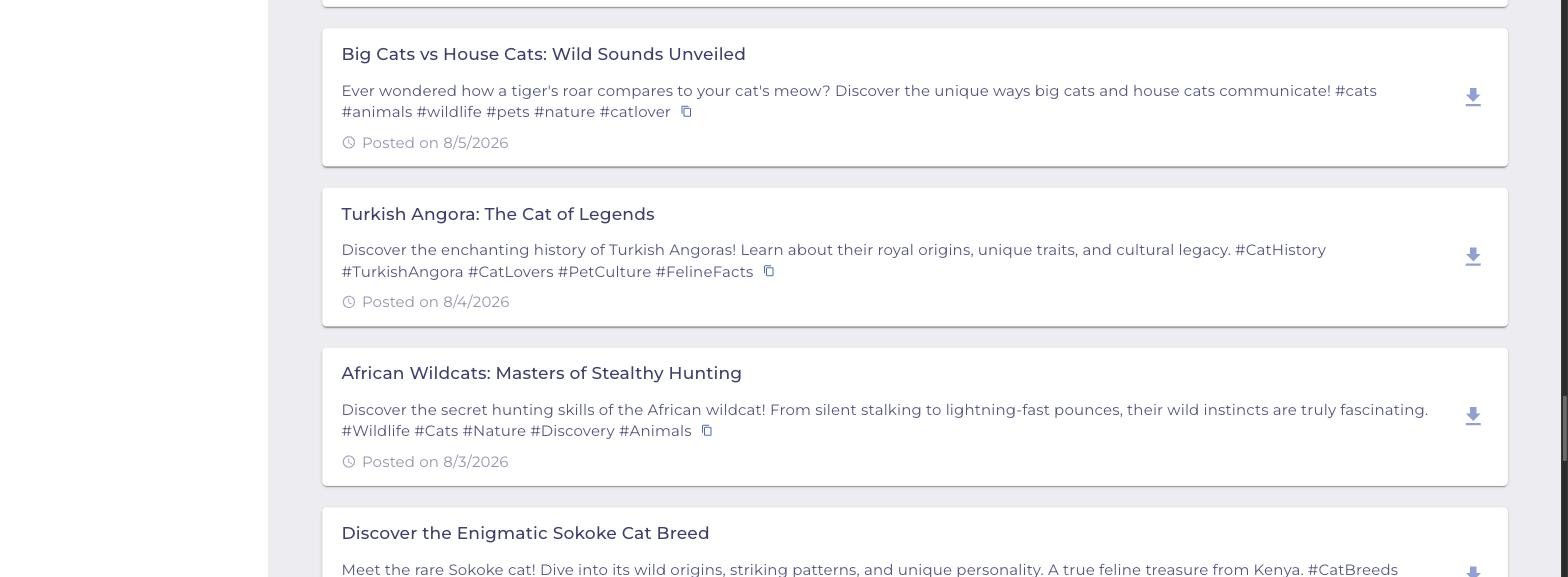
The screenshot at the top of this post is my actual Past Videos panel. Nine consecutive days of faceless videos, posted automatically. Hands-on time after setup: zero.
What faceless YouTube automation actually means
Faceless means you never appear on camera and never use your own voice. The channel runs on AI narration, generated visuals, and burned-in captions. Think of the cat facts, history explainer, and true crime channels filling your Shorts feed.
Automation is the part most people get wrong. Generating one video with AI is easy now. Generating a video every single day, on schedule, formatted correctly, titled, described, hashtagged, and pushed to YouTube and TikTok without you opening a browser is the actual work. That is the gap AutoShorts fills.
It handles six jobs that would otherwise take six separate tools:
- Writing the script from your topic or your own custom prompt
- Generating the narration in an AI voice
- Building the visuals in an art style you pick
- Burning in subtitles and a title frame
- Writing the title, description, and hashtags
- Posting to your connected channels on a recurring schedule
How AutoShorts.ai works, step by step
The whole tool is built around one concept: the series. A series is a standing instruction that says post a video about this topic, in this style, this often, to these accounts, forever. You set it once. Everything after that runs on its own.
Step 1: Pick your destination
Setup starts under Series, then Create. The first screen asks where the videos go.
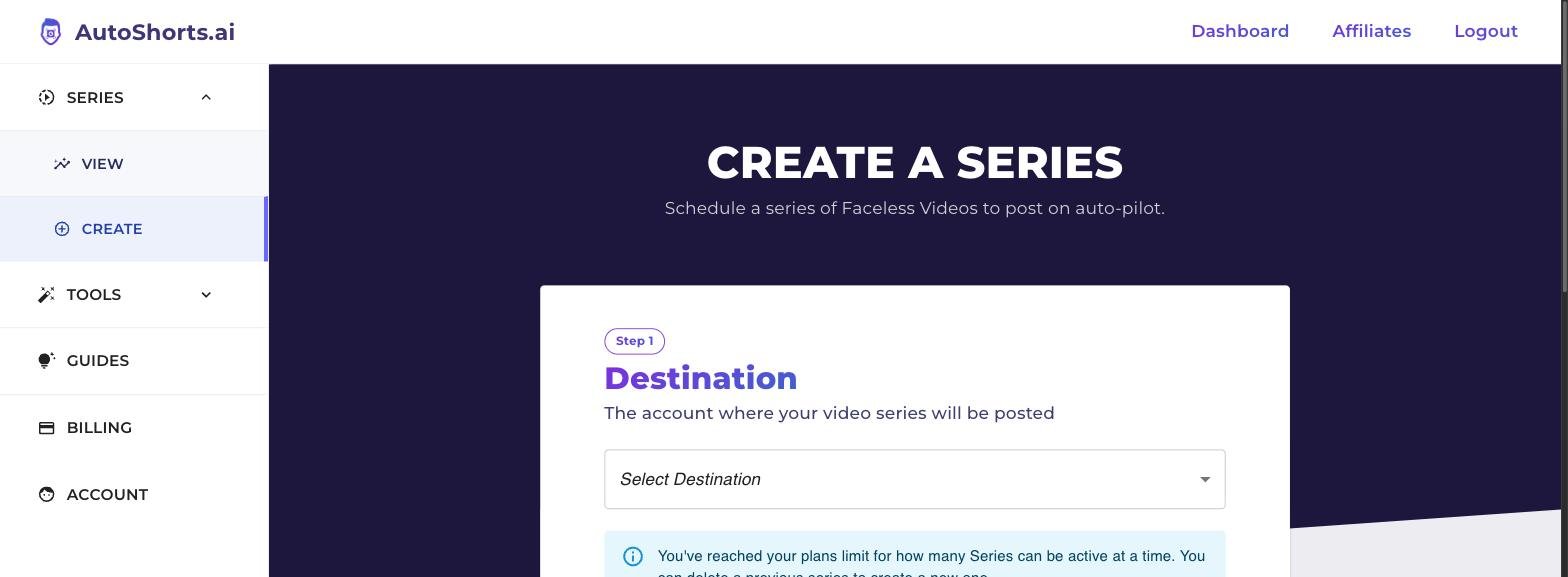
You connect a YouTube channel, a TikTok account, or both, through the normal OAuth flow. You can also point one series at multiple accounts, which is what I do, so a single generated video lands on YouTube and TikTok at the same time.
One thing to know up front: every plan allows one active series at a time. If you want three niche channels running in parallel, plan for that before you commit.
Step 2: Write a custom prompt instead of picking a preset
You can pick from their preset topic list, but Custom Prompt is the option worth using. It steers the angle, tone, and structure of every video the series will ever generate. Mine runs a cat behavior and breed channel, so the prompt tells it to open with a hook question, deliver three concrete facts, and close on something surprising.
This is the highest-leverage setting in the entire tool. A lazy prompt gets you generic AI filler. A specific prompt gets you something that reads like a real channel. Copy this structure and adapt it:
Create a 60 to 90 second faceless video about [YOUR NICHE].
Open with a question the viewer has actually wondered about.
Deliver three specific, verifiable facts, one per beat.
Use plain conversational language. No filler, no hype.
Close with one surprising detail and a soft prompt to follow.
Never repeat a topic used in a previous video in this series.
Step 3: Set the look and the voice
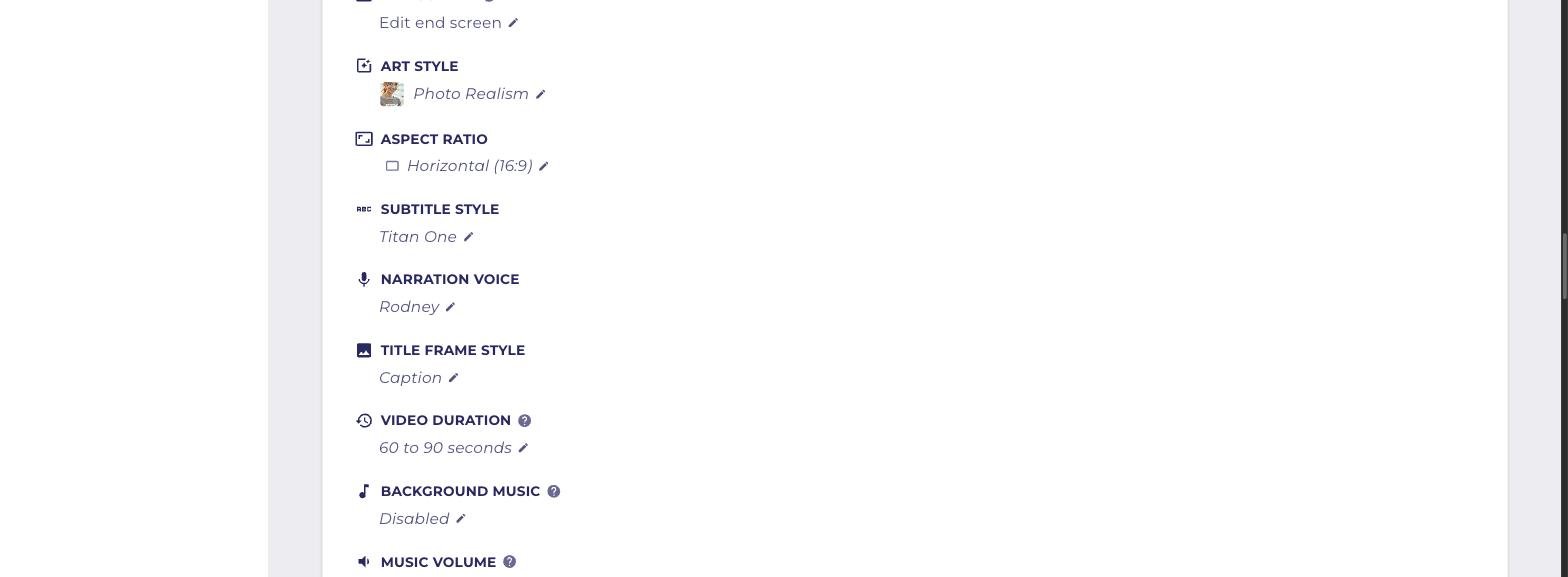
These settings decide whether your channel looks legitimate or looks like everyone else running the same tool. Here is what each one does and what I run:
- Art Style is the visual engine. Photo Realism reads as credible for factual niches. Stylized options suit story and fiction channels.
- Aspect Ratio is Horizontal 16:9 for long-form YouTube or vertical for Shorts, Reels, and TikTok. Pick based on where you actually want the views.
- Subtitle Style sets the burned-in caption font. Titan One is bold and reads well on a phone.
- Narration Voice is the personality of the channel and the hardest thing to change later without confusing your audience. Listen to several before you lock it in.
- Title Frame Style controls the opening card.
- Video Duration runs from short Shorts up to 60 to 90 seconds. Longer runs give the script room to say something.
- Background Music and Music Volume. I leave music off. Narration-led factual content reads clearer without a bed under it.
- Motion adds camera movement to the generated images and burns motion credits, which are metered separately from your plan.
Step 4: Set the schedule and let it run
Your plan sets the frequency: three times a week, once a day, or twice a day. After that the next video is generated ahead of time and queued with a timestamp.
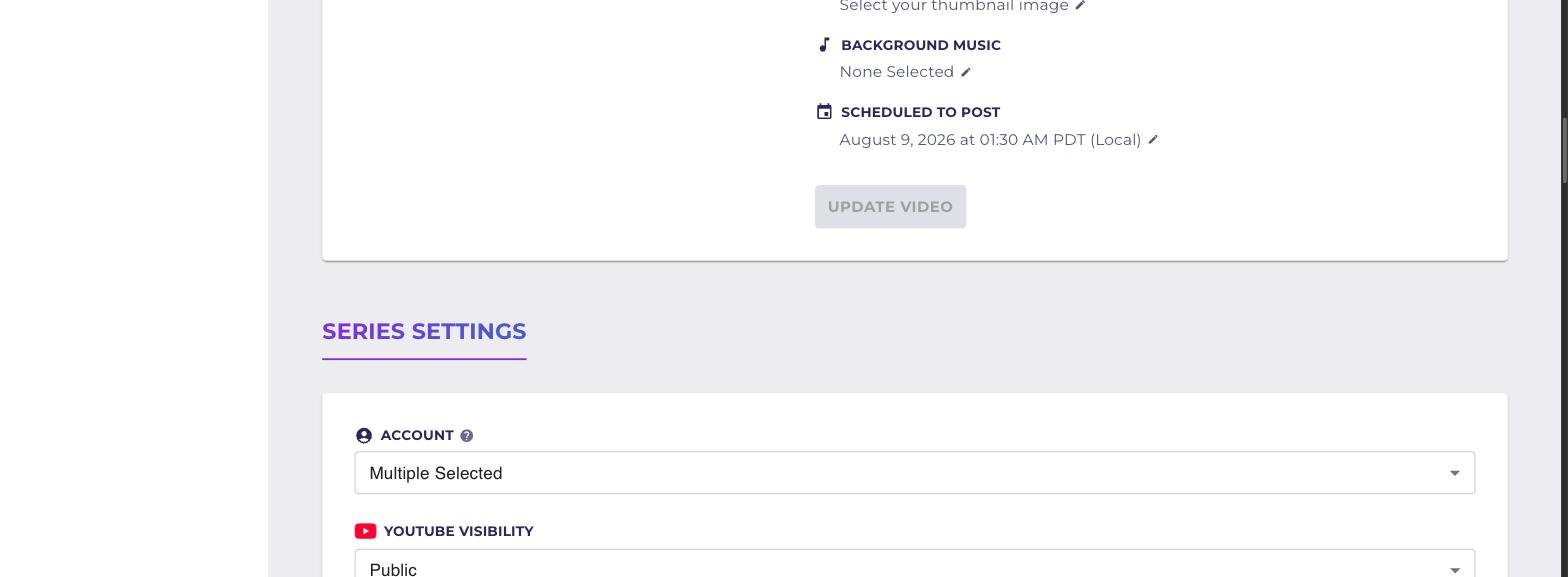
That is the whole system. The video is built, titled, described, and sitting in the queue. If I do nothing, it publishes. If I want to change something, I have until that timestamp to do it.
Step 5: Review or override before it posts
This is the part I did not expect, and the part that makes it usable for client work. Nothing is a black box. The upcoming video sits in your dashboard fully editable.
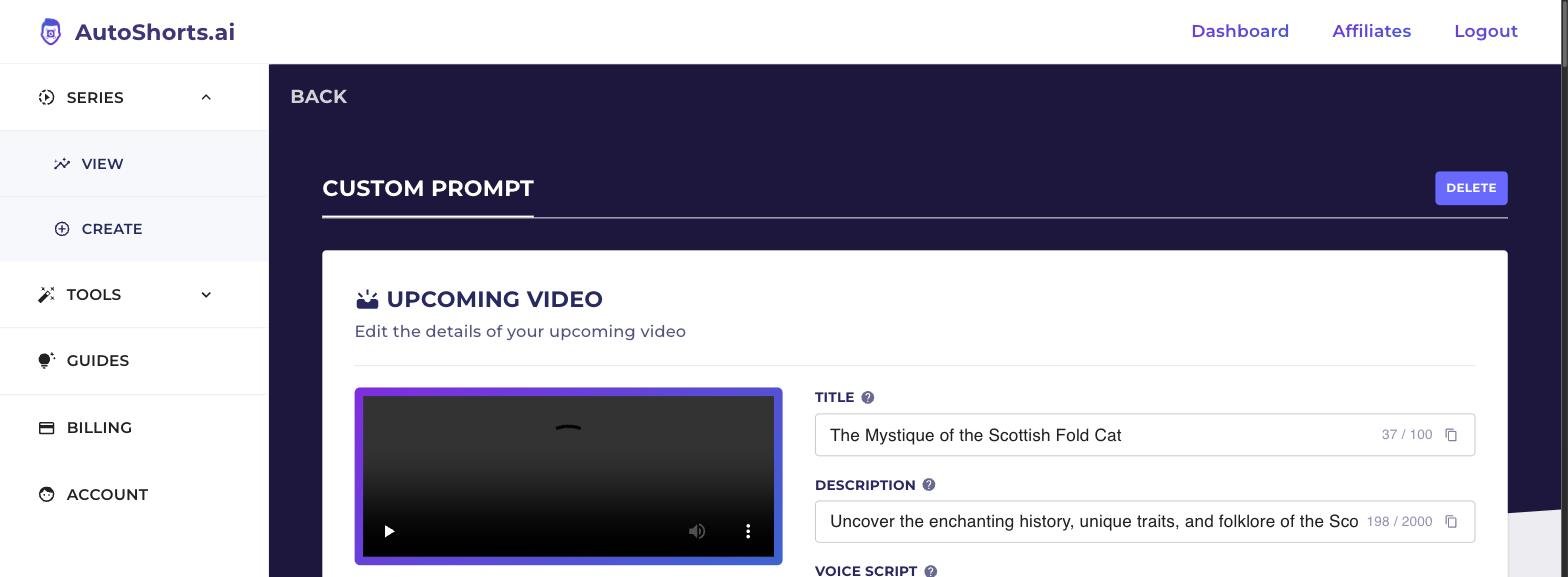
You get the generated title, the description with hashtags, a preview player, and the full voice script in an editable field.
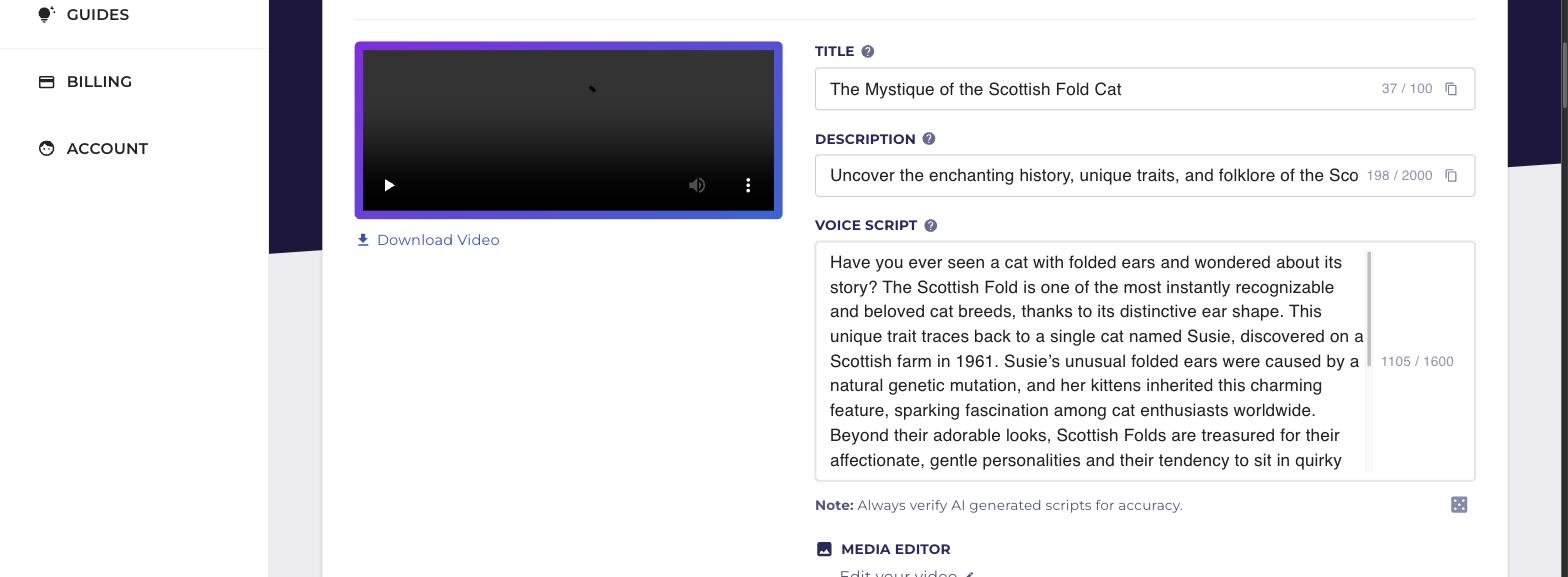
If a fact is wrong, you fix the line and the audio regenerates. There is a media editor for swapping visuals and a thumbnail picker. AutoShorts even puts a note under the script field telling you to verify AI-generated scripts for accuracy, which is more honesty than most tools in this category bother with.
My actual workflow: I skim the script for about thirty seconds. Most days I change nothing.
What AutoShorts.ai costs
Pricing is tied to how often you post, not to which features you unlock. Every paid tier includes the same thing: auto-posting, HD resolution, editing and preview, background music, voice cloning, and no watermark. Annual rates:
- Starter, $16 a month billed yearly. Posts three times a week. 14 motion credits.
- Daily, $33 a month billed yearly. Posts once a day. 31 motion credits.
- Hardcore, $58 a month billed yearly. Posts twice a day. 62 motion credits.
There is also a no-cost tier that generates a single video so you can judge the output in your own niche before spending anything. Monthly billing costs more per month than annual.
I run Daily. One video a day is the sweet spot for a faceless channel: enough volume for the algorithm to work out who you are, not so much that the content goes thin.
Check current AutoShorts.ai pricing
Where it is genuinely good
- The posting actually happens. Most faceless video tools stop at rendering a file. This one publishes.
- Scripts are coherent. Mine open with a real hook and deliver actual facts instead of looping one sentence three ways.
- Titles, descriptions, and hashtags are written for you and they are not embarrassing.
- You can intervene. Full script editing, media swapping, thumbnail selection, and a preview before anything goes public.
- Setup is under fifteen minutes. I timed it.
Where it falls short
- One series per plan. Running multiple niche channels means multiple subscriptions. This is the biggest limitation and it is worth knowing before you buy.
- Motion is metered. Static image sequences are included, but camera movement burns credits that run out.
- Visuals repeat. Inside a tight niche, the generated imagery starts to feel familiar after a few weeks.
- You still have to verify facts. It is AI narration. If it invents something, your channel published it.
- It will not build a brand for you. It builds volume. Positioning, niche selection, and thumbnails are still your job.
Who should actually run this
Use it if you want a faceless channel producing daily and you are not realistically going to sit down and edit videos yourself. That describes most people. The honest math: a daily faceless channel is roughly two hours a day if you do it manually, or about a dollar a day if you do not.
Skip it if you need three or four separate channels under one login, or if your content depends on a real face and a real voice. This is a volume machine, not a personal brand machine.
There is an angle most people miss here. This works as a top-of-funnel content engine for a service business. A landscaper running a daily plant care channel builds a local audience without ever being on camera. Same tactic I use across my own AI tool stack.
Frequently asked questions
Does faceless YouTube automation actually get monetized?
Yes, but not automatically. YouTube expects content that adds value beyond raw AI output, which in practice means original scripting, a real narrative structure, and a coherent channel identity. Uploading generic AI clips with no editorial point of view is what gets flagged as inauthentic. Custom prompts and script review are how you stay on the right side of that line.
How long does AutoShorts.ai take to set up?
Ten to fifteen minutes, most of which is connecting your YouTube and TikTok accounts and writing your custom prompt. The first video generates on its own after that.
Can I edit the video before it posts?
Yes. The upcoming video sits in your dashboard until its scheduled time. You can rewrite the title, description, and full voice script, swap media, and pick a different thumbnail. The narration audio regenerates from your edited script.
Can I run more than one faceless channel?
Not on one plan. Every tier allows one active series at a time. You can point that series at several social accounts at once, but you cannot run two different niches in parallel without a second subscription.
Do I own the videos?
Yes, videos generated on a paid plan are yours to use. Past videos stay downloadable from the dashboard for 120 days, so pull anything you want to archive before then.
Is it better than making the videos manually?
For volume it is not close. A daily faceless video by hand means scripting, voiceover, sourcing footage, editing, captioning, and uploading. At roughly a dollar a day, the tool wins on time. For a flagship video where quality matters more than cadence, do it yourself.
Start a series, then systematize the rest
Start on the no-cost tier, generate one video, and look at the real output in your niche before you spend anything.
Start a series on AutoShorts.ai
The tool is one piece. What actually moves the needle is knowing which AI tools to chain together and in what order, so your content, your ads, and your follow-up run without you sitting in the middle of them. That is what I built The Web Guy AI Stack around.
- Starter, $49. The core modules, the exact tool stack I run, and the copy-paste prompt library.
- Pro, $149. Everything in Starter plus the full workflow builds, including the faceless content engine and the social scheduling system.
See both tiers at webguynick.com
Related reading: 5 AI tools every small business should be using in 2026 and my Higgsfield AI review for small business ads.